Enabling and disabling mail protection
Mail protection is enabled by default and starts automatically when the Lotus Domino server is launched. Information about the launch of mail protection modules is recorded in the Kaspersky Anti-Virus Event log.
To enable or disable mail protection:
- Select the server for which you want to enable or disable mail protection.
- In the action panel click the Modify button and in the control panel select the Information tab (see figure below).
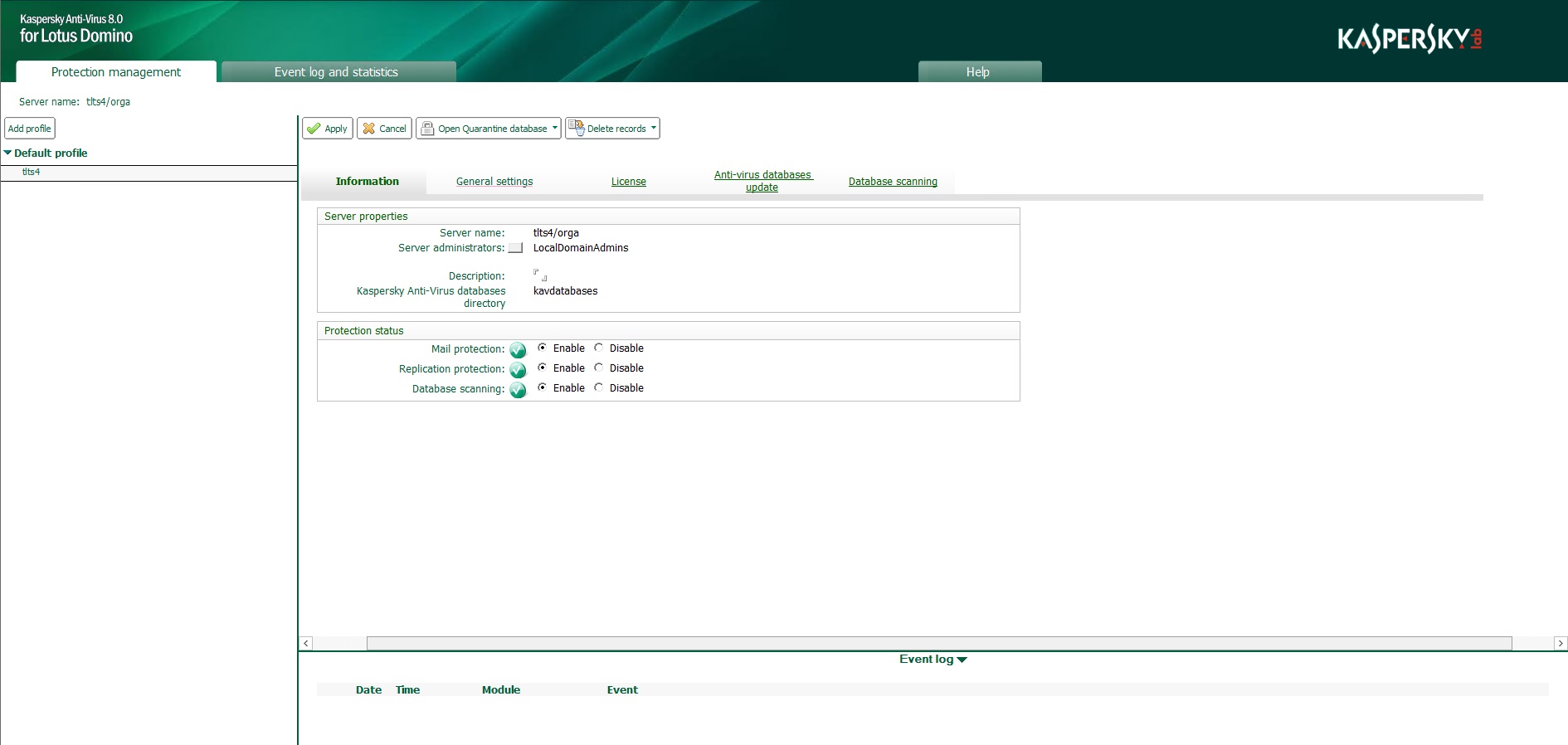
Enabling / disabling mail protection
- Under Protection status in the Mail protection line (see figure below), select the required option: Enable or Disable.
- In the action panel, click the Apply button to save the changes.